
To perform a Qatar eVisa status check online in 2026, visit the MOI portal at portal.moi.gov.qa, navigate to Visa Services, and enter your application reference number or passport number along with your nationality and CAPTCHA verification. Your status will display as “Under Process”, “Approved”, “Rejected”, or another code, each requiring a specific action.
Published: 14 September 2026 | Last reviewed: 14 September 2026. This guide is provided by an independent travel information service. It is not affiliated with the Ministry of Interior of Qatar or any government agency. Always verify information at portal.moi.gov.qa.
UK passport holders can enter Qatar visa-free for up to 90 days (102 nationalities are visa-free), but if you applied through the Hayya platform or require an ETA, a Qatar eVisa status check remains necessary to confirm your application outcome before departure. Four methods exist to track your application: the MOI portal, the Hayya platform, the Qatar Visa Center, and the Metrash2 mobile app. Understanding which portal your application was submitted through is critical, as checking on the wrong platform is the most common cause of “No Record Found” errors during a Qatar eVisa status check.
How to Perform a Qatar eVisa Status Check Online
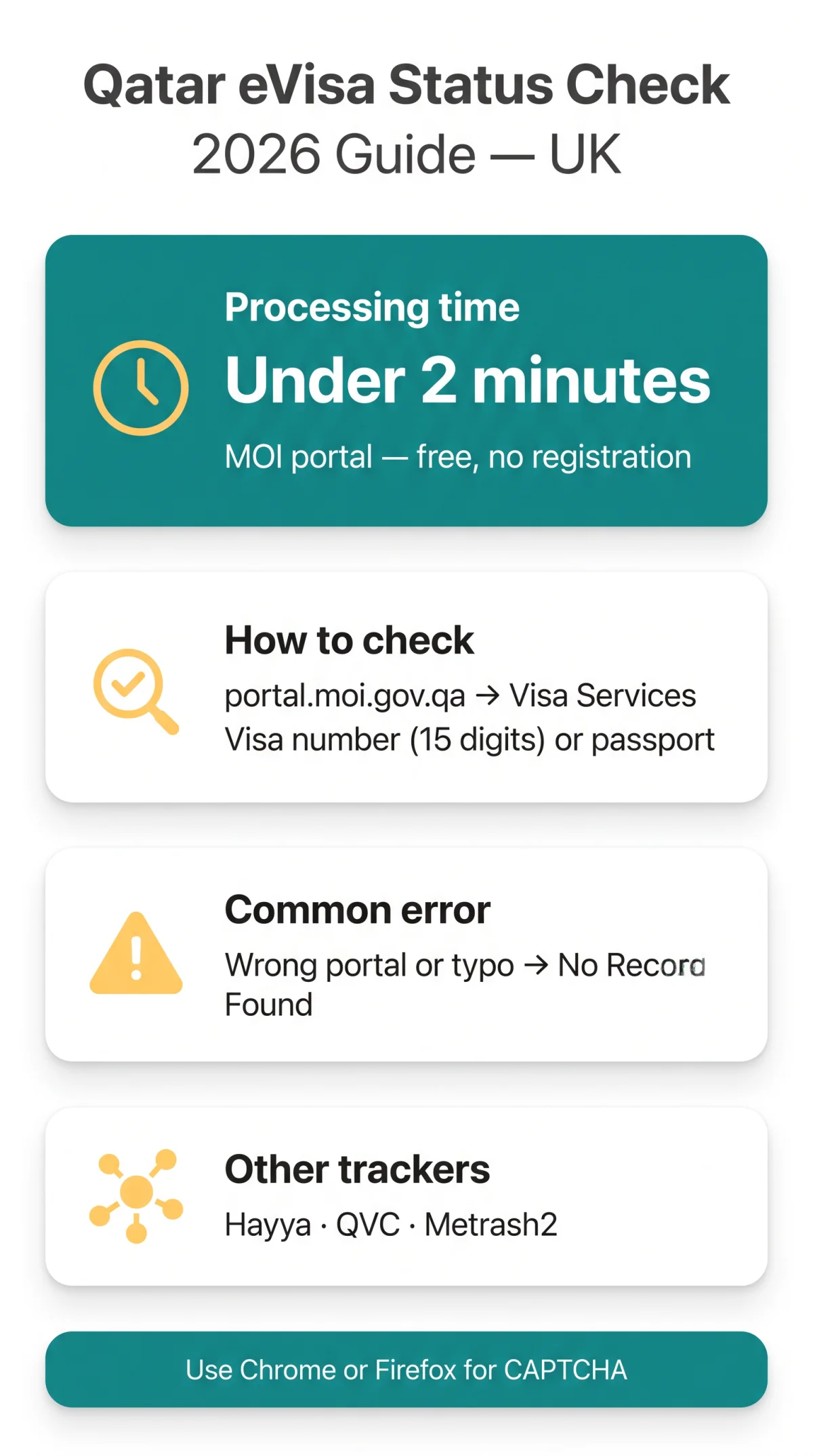
A Qatar eVisa status check is performed on the Ministry of Interior (MOI) portal using a 15-digit visa number or passport number plus CAPTCHA verification. According to the MOI service directory at portal.moi.gov.qa (accessed September 2026), the procedure takes under 2 minutes, is completely free, and requires no registration.

Open the MOI portal
Open portal.moi.gov.qa in a secure browser.
Navigate to Visa Inquiry & Printing
Go via Home → MOI Services → Inquiries → Visa Services.
Enter your visa or passport number
Enter your 15-digit visa number OR your passport number (primary method for tourists without a visa number).
Select your nationality
Select your Nationality from the dropdown menu.
Complete CAPTCHA verification
Complete the CAPTCHA verification (picture or audio option).
Click “Submit”
Your status displays immediately on screen.
UK holders: visa-free 90 days; a Qatar eVisa status check is needed only if you applied via Hayya or require an ETA. The check can be repeated 24/7 from the Visa Inquiry & Printing page. CAPTCHA may fail in some browsers; Chrome or Firefox is recommended.
Every Qatar Visa Status Explained
A Qatar eVisa status check displays one of 13 distinct codes, from “Application Received” to “No Record Found”, each requiring a specific action. Processing times vary: most nationalities take 3-5 working days; UK/US applicants may receive immediate approval or 3-5 working days; “Under Security Review” takes 5-10 working days. GCC citizens are visa-free and do not require a Qatar eVisa status check. Recommended check frequency: every 2-3 days.
| Status | Meaning | Action |
|---|---|---|
| Application Received | Submitted, undergoing preliminary verification | Wait, no action needed |
| Under Process | Authorities verifying documents and eligibility | Recheck in 2-3 days |
| Pending Review | Awaiting ministry approval or internal checks | Recheck after 3 days |
| Additional Documents Required | Supplementary documents must be submitted | Contact sponsor or embassy immediately |
| Under Security Review | Background and security verification in progress | Wait 5-10 working days |
| Approved | Visa accepted | Print/download from MOI portal |
| Ready to Print | Approved, ready for download | Log in and print the visa |
| Issued | Visa granted, valid for travel or stay | Safeguard the visa document |
| On Hold | Processing paused, clarifications required | Contact sponsor or Embassy of Qatar |
| Rejected | Application denied due to documentation or eligibility | Reapply with corrected details |
| Expired | Visa validity period has ended | Renew online or contact sponsor |
| Cancelled | Cancelled by applicant, sponsor, or authorities | Contact sponsor urgently |
| No Record Found | Entered data does not match any application | Re-verify visa/passport number and retry |
The Qatar eVisa status check flags “Additional Documents Required” as the most time-sensitive outcome: failure to respond promptly may result in automatic cancellation. “No Record Found” typically means you are checking on the wrong portal (MOI vs. Hayya) or have a data entry typo.
Four Ways to Track Your Qatar Visa Application
Four methods exist to track a Qatar visa: the MOI portal, the Hayya platform, the Qatar Visa Center (QVC), and the Metrash2 mobile app. The Qatar eVisa status check you perform must match the channel through which you submitted your application.
| Method | Best For | Input Required | Works Outside Qatar? | Free? |
|---|---|---|---|---|
| MOI Portal (portal.moi.gov.qa) | Tourist eVisa | Visa number (15 digits) or passport number + nationality | Yes | Yes |
| Hayya Platform | Hayya A2/A3 tourist visas | Application number | Yes | Yes |
| Qatar Visa Center | Work/family visas from eligible countries | Visa reference number | Yes | Yes |
| Metrash2 App (iOS/Android) | Residents inside Qatar | Visa or passport number + Qatar SIM (OTP verification) | No | Yes |
Decision flowchart: Applied through Hayya? Check on Hayya. Applied through a sponsor or employer? Check on MOI or QVC. Inside Qatar with a Qatar SIM? Use Metrash2 (in-app path: “Visa Follow Up” or “Visa Services” tab). MOI and Hayya are separate systems; using the wrong portal is the most common Qatar eVisa status check error causing “No Record Found”. QVC applies to work and family visa categories, not standard tourist eVisas.
Approved eVisas, Common Errors, and Security Warnings
Upon approval, the MOI system sends an automated email with a download link. Print your eVisa for free from the MOI Visa Inquiry & Printing page using your visa or passport number. Travellers must carry a physical printed copy when flying; passport validity must be at least 3 months from arrival.
Before you fly checklist:
- Print your eVisa (colour or black-and-white acceptable)
- Verify expiry date on the visa document
- Confirm passport validity: minimum 3 months from arrival
- Carry confirmed hotel booking documentation
- Carry confirmed return ticket
Most Qatar eVisa status check errors are “No Record Found” (wrong portal or typo) or CAPTCHA failures (use Chrome or Firefox, clear browser cache, try audio CAPTCHA option). If you encounter recurring issues, see our guide to common application errors for troubleshooting steps.
Only three domains handle Qatar visa status legitimately: portal.moi.gov.qa, , and . Red flags of phishing sites: URLs not ending in.gov.qa, requests for payment to “check status”, fake urgency language, sites asking for credit card details. Never enter passport data on untrusted sites.
For unresolved issues, contact the Ministry of Interior (MOI) Qatar: phone +974 2367111, email [email protected], fax +974 44323339. Social media: on Facebook, Twitter/X, Instagram, YouTube, Snapchat. Operating hours: Sunday to Thursday, AST (UTC+3). For UK callers, morning hours align with Qatar business hours.
FAQ: Qatar eVisa Status Check
Will I receive SMS notifications about my Qatar eVisa status?
Notifications are via email only. Metrash2 may provide push notifications for residents with a Qatar SIM. Manual checks on the MOI portal at portal.moi.gov.qa are recommended for reliable Qatar eVisa status check results.
Can I appeal a Qatar eVisa rejection?
No formal online appeal channel exists. Most rejections require a fresh application with corrected details. Contact your sponsor or MOI at +974 2367111 / [email protected] for guidance on your specific case.
Do I get a refund if my Qatar eVisa is rejected?
Application and processing fees are generally non-refundable. Verify specific terms with your application channel (Hayya, sponsor, or airline) before submitting.
How long after approval can I enter Qatar?
Enter Qatar before the expiry date printed on the visa. Check single-entry vs. multiple-entry conditions after your Qatar eVisa status check shows “Approved”.
What if I find a typo in my passport details after applying?
If “Under Process”, contact your sponsor or MOI immediately to request a correction. If “Approved” with mismatched details, you may need to reapply. Qatar immigration requires passport details to match your visa exactly.
How do I track a Qatar tourist visa extension?
For extensions applied while in Qatar, use the MOI portal under Visa Services or contact your sponsor. Track extension status before your initial visa expires at portal.moi.gov.qa.
What is the difference between MOI and Hayya visa status labels?
MOI and Hayya are separate systems with different status wording. If “No Record Found” on one portal, try the other. This is the most common Qatar eVisa status check error, caused by using the wrong portal for your application type.
What is the MOI helpline number for Qatar eVisa status issues?
Call +974 2367111 (Sun-Thu, AST UTC+3). Email: [email protected]. Fax: +974 44323339. For UK callers, morning hours align with Qatar business hours.