
Last updated: 14 September 2026. The Qatar eVisa document upload process on the Hayya portal requires PDF, JPEG, or PNG files, each strictly under 2 MB. UK travellers must scan passports at 300 DPI in 24-bit colour and compress oversized images to prevent rejection. This guide covers accepted formats, size limits, scanning specs, compression tools, step-by-step upload instructions, required documents, and troubleshooting, based on Ministry of Interior guidelines at portal.moi.gov.qa.
What Is the Hayya Portal and Why Document Upload Matters
The Hayya platform at processes Qatar eVisa applications through four entry permit types: A1 Tourist, A2 GCC Resident, A3 ETA, and A4 Companion.
Pending
Initial stage
Pending Accommodation Verification
Document upload stage
Pending Payment
Fee processing
Approval
Final stage
The Qatar eVisa document upload process occurs at the accommodation verification stage, where applicants attach a passport bio-page scan, photograph, and accommodation voucher. Visa policies are set by the Ministry of Interior and may change without notice; always verify current requirements on the Hayya portal before submitting.
Accepted File Formats and Size Limits for Hayya Portal Uploads
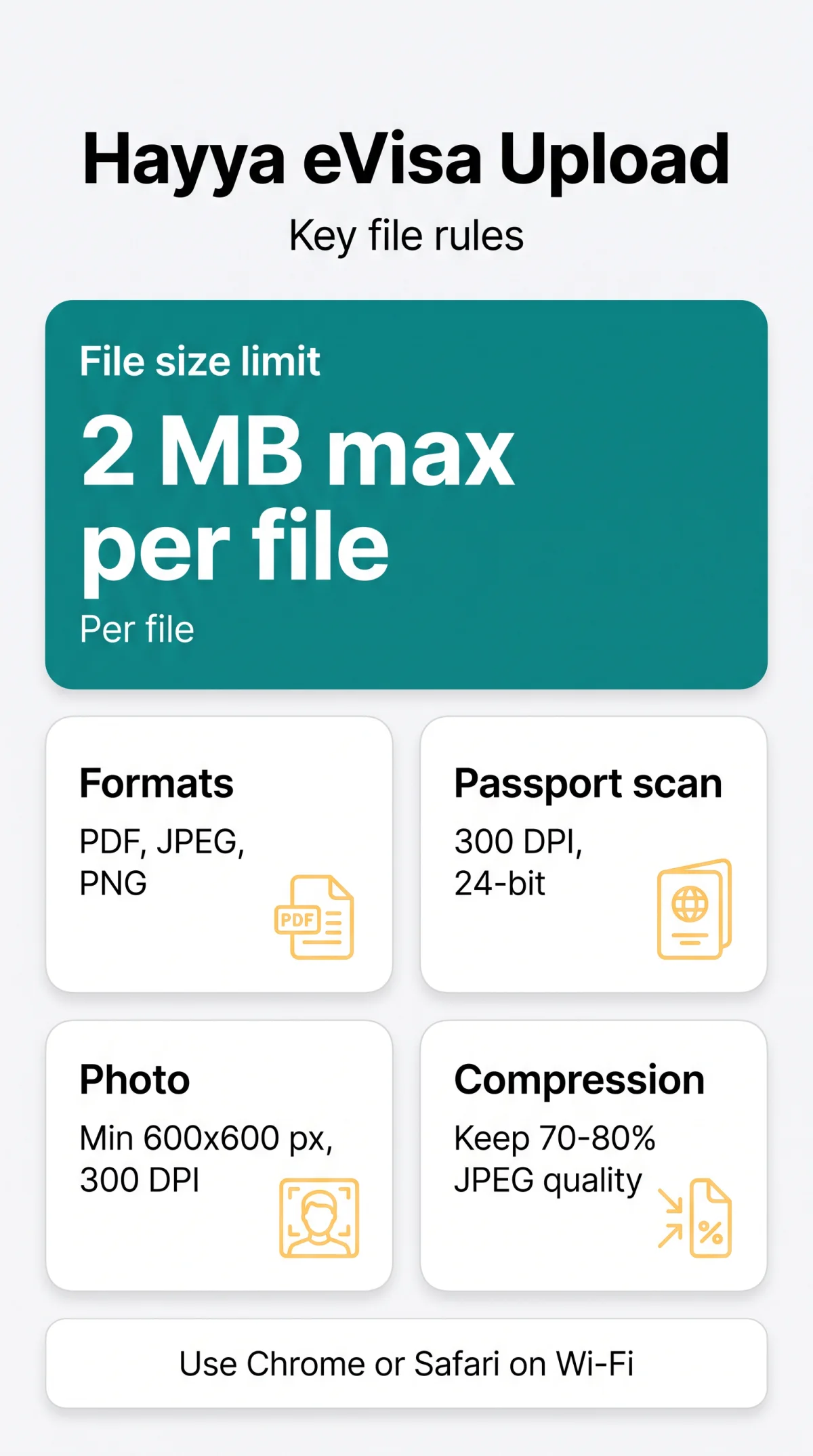
The Hayya portal accepts PDF, JPEG, and PNG files with a strict 2 MB maximum per file. Unsupported formats (HEIC, TIFF, BMP, WEBP) are rejected automatically.
| Document Slot | Accepted Formats | Recommended Format |
|---|---|---|
| Passport bio-page scan | PDF, JPEG, PNG | PDF (preserves MRZ legibility) |
| Passport-style photo | PDF, JPEG, PNG | JPEG (smallest file size) |
| Accommodation voucher | PDF, JPEG, PNG | PDF (supports multi-page) |
| Supporting documents | PDF, JPEG, PNG | PDF (merge multiple pages) |
Check file size via Properties on Windows or Get Info on macOS before uploading. Name each file using the pattern LastName_Passport_2026.jpg, avoiding spaces, special characters, and non-Latin script to prevent silent upload failures during the Qatar eVisa document upload process.
How to Scan, Prepare and Compress Documents for Qatar eVisa

Scan the passport bio-page at 300 DPI in 24-bit colour, with all four corners visible and the MRZ line fully legible. A flatbed scanner is more reliable than a smartphone camera; if using a phone, ensure even lighting and no glare. For the passport-style photo, use minimum 600×600 pixels in a square aspect ratio with a plain white or light grey background, no shadows, and no glasses. Compress smartphone photos (default 3-12 MB) using TinyPNG for JPEG/PNG or iLovePDF for multi-page PDFs, keeping JPEG quality at 70-80%. Compression below 50% JPEG quality renders the MRZ unreadable and triggers rejection. A 6 MB photo typically compresses to 1-1.5 MB at 70% quality with no visible loss. Preview every compressed file before uploading to the Hayya portal.
Step-by-Step Guide to Uploading Documents on the Hayya Portal
Before uploading, ensure your passport has at least 3 months validity from arrival in Qatar, you hold compulsory health insurance registered with the Ministry of Public Health, and you have a confirmed return ticket.
Navigate to document upload
Log into the Hayya portal or open the Hayya app, go to My Application, and select the document upload section.
Choose document type
Select the appropriate document type from the dropdown menu.
Select your file
Click Browse or Choose File to select your pre-prepared file.
Wait for validation
Wait for the on-screen format and size validation to complete.
Confirm the upload
Confirm the upload. A green checkmark and Uploaded status confirm success.
Desktop browsers (Chrome, Safari) offer the most reliable Qatar eVisa document upload experience; on mobile, switch to Wi-Fi for a stable connection.
Troubleshooting Hayya Portal Upload Errors
| Error message | Likely cause | Fix |
|---|---|---|
| File too large | File exceeds 2 MB limit | Compress with TinyPNG (images) or iLovePDF (PDFs) |
| Invalid format | Extension not accepted (e.g. HEIC, TIFF) | Convert to JPEG or PDF |
| Upload timeout | Unstable connection | Switch to Wi-Fi, clear cache, retry off-peak |
| Session expired | Page idle too long | Re-log in and complete upload promptly |
| Network error | Browser lost connection mid-upload | Check internet, try Chrome or Safari, disable VPN |
| Corrupted file | File damaged during compression | Re-scan or re-download original, compress again |
Uploads can stall on Firefox due to cached file versions; clear cache before retrying. If Qatar eVisa document upload errors persist, contact Hayya Support at with your application reference and error screenshot.
Required Documents for Qatar eVisa (UK Citizens)
UK citizens must upload a passport bio-page scan with at least 3 months validity from arrival, a passport-style photo, and a confirmed return ticket. Compulsory health insurance registered with the Ministry of Public Health is required. For certain visa types, an accommodation voucher booked through Discover Qatar is mandatory at the Pending Accommodation Verification stage. The eVisa fee is QAR 100 if required. Supporting documents may include an employment letter, bank statement, or UK residence permit, each uploaded as JPEG or PDF, max 2 MB. Visa on arrival is an alternative for eligible nationalities from over 95 countries per the Ministry of Interior at portal.moi.gov.qa.
FAQ: Qatar eVisa Document Upload on the Hayya Portal
What file formats are accepted for the Qatar eVisa document upload on Hayya?
The Hayya portal accepts PDF, JPEG, and PNG for all document slots. JPEG is recommended for photos due to smaller file size; PDF for multi-page documents like accommodation vouchers. HEIC, TIFF, BMP, and WEBP are not accepted.
What is the maximum file size limit for Hayya portal uploads?
The maximum file size is 2 MB per document, applying to all upload slots. Check file size via Properties on Windows or Get Info on macOS before attempting the Qatar eVisa document upload.
How do I compress a passport photo for the Qatar eVisa application?
Use TinyPNG for JPEG/PNG images or iLovePDF for PDFs. Keep JPEG quality at 70-80% to stay under 2 MB while maintaining MRZ legibility. Avoid compression below 50%, which makes the Machine Readable Zone unreadable.
What does the ‘file too large’ error mean on the Hayya portal?
Your document exceeds the 2 MB limit. Compress with TinyPNG (images) or iLovePDF (PDFs), or reduce scan resolution. Use macOS Preview or Windows Photos to resize before retrying the Qatar eVisa document upload.
How do I scan my passport for the Qatar eVisa without errors?
Scan at 300 DPI in 24-bit colour with all four corners visible and the MRZ line legible. A flatbed scanner is more reliable than a smartphone camera; if using a phone, ensure even lighting and no glare.
What is the correct resolution for a passport photo on the Hayya portal?
Minimum 600×600 pixels, square aspect ratio, 300 DPI. Use a plain white or light grey background with even lighting, no shadows. Face centred, neutral expression, no glasses. JPEG or PNG format, max 2 MB.
Why is the Hayya portal upload not working on my web browser?
Clear browser cache, disable VPNs, and ensure stable Wi-Fi. Chrome and Safari perform best for the Qatar eVisa document upload. If the Hayya portal upload still fails, try a different browser or contact Hayya Support at.
What documents do UK citizens need to upload for a Qatar eVisa?
UK citizens need a passport bio-page scan (3 months validity minimum), passport-style photo, confirmed return ticket, and compulsory health insurance registered with the Ministry of Public Health. An accommodation voucher via Discover Qatar is required for certain visa types. The eVisa fee is QAR 100 if applicable.