
Featured Snippet: To check your Qatar visa status online, visit the MOI Qatar portal at portal.moi.gov.qa, navigate to Inquiries, Visa Services, Visa Inquiry & Printing, and enter your passport number, visa number, or QID along with your nationality. Complete the CAPTCHA verification and click Search to view your current visa status instantly.
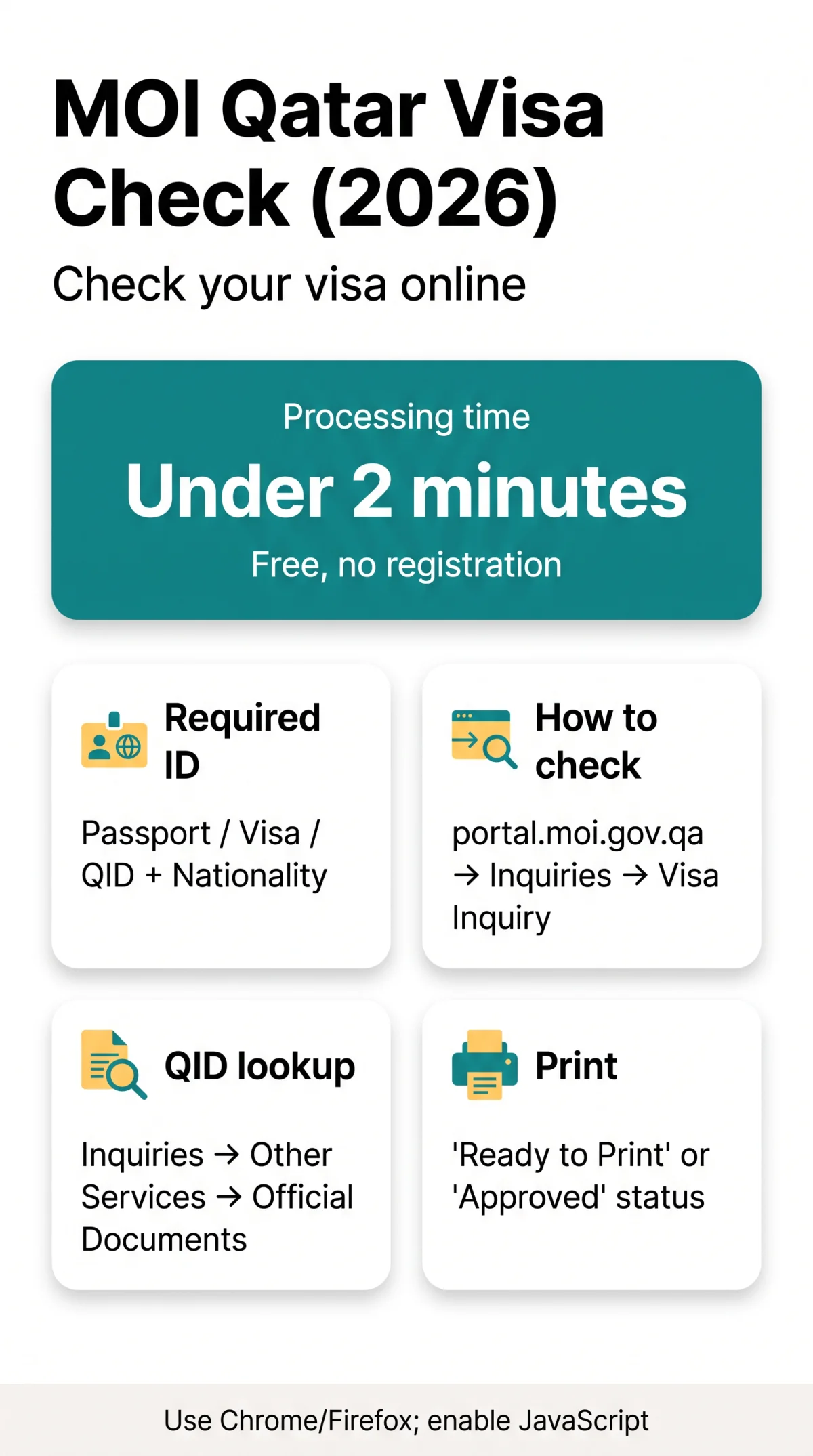
The MOI Qatar visa check online tool at portal.moi.gov.qa verifies visa status using a passport number, visa number, or QID. The check is free, requires no registration, and completes in under 2 minutes.
What You Need Before You Start
The MOI Qatar visa inquiry portal requires one identifier (passport number, visa number, or QID) plus your nationality. The portal works on Chrome or Firefox with JavaScript enabled; no VPN needed for UK travellers.
- Passport number – enter exactly as printed; any typo returns a “No Record Found” result.
- Visa number – a 15-digit reference typically provided by your sponsor or employer.
- QID (Qatar ID) – for Qatar residents holding a Residency Permit (RP) only; uses a separate portal path, not Visa Inquiry & Printing.
You will also complete a CAPTCHA verification step. The MOI Qatar visa check online service pulls real-time data from Qatar immigration databases. Accessibility controls (A- A+) and Arabic language toggle (العربية) are available at the top of the portal.
This guide was last verified against portal.moi.gov.qa on 14 September 2026. Navigation paths, form fields, and contact details were confirmed against the live portal.
How to Check Qatar Visa Status on the MOI Portal
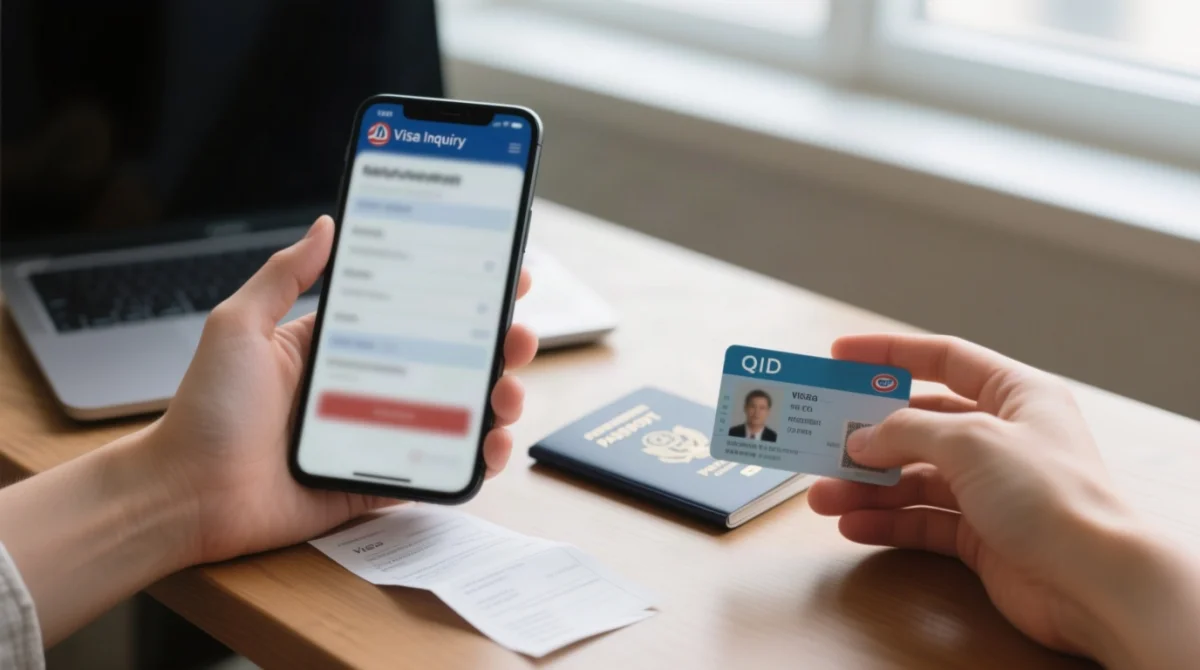
Go to portal.moi.gov.qa, open Inquiries, Visa Services, Visa Inquiry & Printing, enter your identifier, nationality, and CAPTCHA, then click Submit.
Navigate to portal.moi.gov.qa
Select Inquiries, Visa Services, Visa Inquiry & Printing
Choose your search method below
Enter identifier, select Nationality from dropdown, complete CAPTCHA (click speaker icon for audio mode)
Click Submit; the MOI Qatar visa inquiry portal displays results instantly
Method 1: Search by Passport Number
Select “Search by Passport Number” and enter your passport number exactly as printed, then select your nationality from the dropdown.
Method 2: Search by Visa Number
Select “Search by Visa Number” and enter the 15-digit visa number provided by your sponsor or employer.
Method 3: Search by QID (Different Portal Path)
QID lookup uses a separate path: Inquiries, Other Services, Official Documents. The MOI Qatar visa inquiry portal requires your QID number, nationality, date of birth (yyyy/mm/dd format), and CAPTCHA. For Qatar residents only.
Understanding Your Qatar Visa Status Results
The MOI portal displays 13 possible statuses, each indicating required next steps and validity period. Statuses update within 24 hours of a change, per MOI public guidance at portal.moi.gov.qa (accessed September 2026).
| Status | Meaning | Action |
|---|---|---|
| Application Received | Submitted, under initial review | Wait – no action needed |
| Under Process | Authorities verifying documents and eligibility | Check again in 2-3 days |
| Pending Review | Waiting for ministry approval or internal checks | Check again after 3 days |
| Additional Documents Required | Must upload extra documents (PDF, JPEG accepted) | Act immediately – contact sponsor or embassy |
| Under Security Review | Background and security clearance in progress | Wait – 5-10 working days |
| Approved | Visa officially accepted | Proceed with travel or residency steps |
| Ready to Print | Visa approved, ready to download/print | Print from MOI portal now |
| Issued | Visa granted and valid for travel | Keep visa document safe |
| On Hold | Processing paused – clarification needed | Contact sponsor or Qatar Embassy |
| Rejected | Application denied | Review reasons and resubmit |
| Expired | Validity period ended | Renew online or contact sponsor |
| Cancelled | Visa cancelled by applicant, sponsor, or authorities | Contact sponsor urgently |
| No Record Found | Details do not match any record | Check for typos, correct nationality, retry |
When status shows “Ready to Print” or “Approved,” print your visa directly from the same MOI portal inquiry page at no cost.
Qatar Visa Types and Their Validity Periods
| Visa Type | Purpose | Validity |
|---|---|---|
| Work Visa | Employment under a company | 1-3 years |
| Visit Visa | Family or business visit | 30-90 days |
| Tourist Visa | Leisure travel | Up to 30 days |
| Family Residence Visa | Long-term family stay | Long-term |
| Hayya (A1) | Event-based entry | Temporary |
Overstay Penalties and Grace Period for Qatar Visas
Qatar imposes daily overstaying fines accruing from the day after visa expiry. No confirmed grace period exists in available sources. The MOI Qatar visa inquiry portal displays exact expiry dates so travellers can exit or renew on time.
For current penalty rates, check portal.moi.gov.qa or call 2367111. Overstay fine rates change periodically; always confirm the current rate before making decisions.
Alternative Ways to Check Your Qatar Visa Status
Besides the MOI web portal, visa status can be checked via Metrash2, Qatar Visa Center (QVC), or Visa Approval Tracking by sponsor QID.
Checking Visa Status via the Metrash2 Mobile App
Free MOI Qatar app on iOS and Android. Requires physical presence in Qatar or a Qatari SIM card. Log in with a registered mobile number, then navigate to Dashboard, Visa Services to check visa or passport numbers.
Track Visa Application Status via Qatar Visa Center (QVC)
For applicants outside Qatar: select language and country, click “Track Application,” enter your file reference number, and complete the CAPTCHA. QVC displays medical and biometrics status, with results updating within 3-5 working days. Incomplete biometrics halt visa approval.
Track Visa Approval by Sponsor QID
Separate MOI form requiring sponsor QID, date (yyyy/mm/dd), and CAPTCHA. For sponsors tracking pending visa approvals using sponsor details.
Troubleshooting Common MOI Portal Issues
The MOI portal works best on Chrome or Firefox; if CAPTCHA fails, use audio mode, and retry after 22:00 Qatar time (UTC+3) if errors persist.
- Browser not supported: use Chrome or Firefox; enable JavaScript
- CAPTCHA not displaying: click speaker icon for audio mode; clear cache; disable ad-blockers
- Blank page after Submit: clear cache; try incognito; retry after 22:00 Qatar time
- “System Error” from UK IP: retry after 22:00 Qatar time (UTC+3)
- Passport number rejected: check for spaces or O/0 confusion
- Portal shows Arabic only: click language switcher (العربية) at top
- Mobile rendering issues: use desktop browser or Metrash2 app (requires Qatari SIM)
Lost your 15-digit visa number? Three recovery paths: (1) search by passport number on the MOI portal, (2) ask your sponsor or employer, (3) contact MOI directly at 2367111 or [email protected] (fax: 44323339). Social media: @moi.qatar on Facebook, Twitter, YouTube, Instagram, Snapchat.
Visa Options for UK Travellers: What to Know Before You Check
UK travellers can enter Qatar visa-free for 30 days, apply for a free Hayya e-visa, or get a Visa on Arrival for QAR 100. The MOI Qatar visa check online tool displays status only for options that generate a trackable record.
| Option | Cost | Validity | MOI Status Trackable? | Key Requirement |
|---|---|---|---|---|
| Visa-Free | Free | 30 days | No (confirmed at border) | Passport min. 3 months validity + hotel booking |
| Hayya A2/A3 | Free | Varies | Yes, post-issuance | Apply via Hayya portal (account, form, upload, e-visa) |
| Visa on Arrival | QAR 100 (at airport) | 30 days | No pre-travel status | Confirmed round ticket + hotel via Discover Qatar |
Passport minimum validity: 3 months from date of arrival (6 months recommended as a safe buffer). Visa-free visitors need a confirmed hotel booking on arrival. GCC citizens (Bahrain, Kuwait, Oman, Saudi Arabia, UAE) enter visa-free. UK is among 102 eligible nationalities for visa-free entry.
Frequently Asked Questions (FAQ)
What is the MOI Qatar visa inquiry portal and how do I access it?
Access visa status at portal.moi.gov.qa via Inquiries, Visa Services, Visa Inquiry & Printing. The MOI Qatar visa check online service is operated by Qatar’s Ministry of Interior.
How do I check my Qatar visa status using my passport number?
On the MOI portal’s Visa Inquiry & Printing page, select “Search by Passport Number,” enter your passport number exactly as printed, choose your nationality, complete the CAPTCHA, and click Submit.
Can I check my Qatar visa status without a visa number?
Yes. Use your passport number on the Visa Inquiry & Printing page, or your QID via Inquiries, Other Services, Official Documents on the MOI portal.
What does ‘No Record Found’ mean on the MOI visa portal?
The details entered do not match any application. Double-check your visa or passport number for typos, ensure you selected the correct nationality, then retry.
How long does it take for Qatar visa status to update after applying?
Status updates appear within 24 hours of a change. Visitor visas may take 2-3 days; work visas and security-reviewed applications can take 5-10 working days.
Can I print my Qatar visa directly from the MOI portal?
Yes. Once your status shows “Ready to Print” or “Approved,” print your visa directly from the inquiry page. No office visit is required.
What is the daily overstay fine in Qatar?
Qatar imposes daily overstaying fines accruing from the day after expiry. The exact rate is set by the Ministry of Interior. Check portal.moi.gov.qa or call 2367111 for current penalty rates.
Does the MOI Qatar portal work on mobile phones?
Yes, the portal is responsive and works on mobile browsers.
How do I check my Qatar visa status using my QID number?
Go to Inquiries, Other Services, Official Documents on portal.moi.gov.qa. Enter your QID number, nationality, and date of birth (yyyy/mm/dd), then complete the CAPTCHA. For Qatar residents only.
What should I do if my Qatar visa has a typo or error?
Contact the MOI Service Centre (phone 2367111, email [email protected]) to request a correction. You will need your passport and visa reference number. Corrections typically take 3-5 working days.