
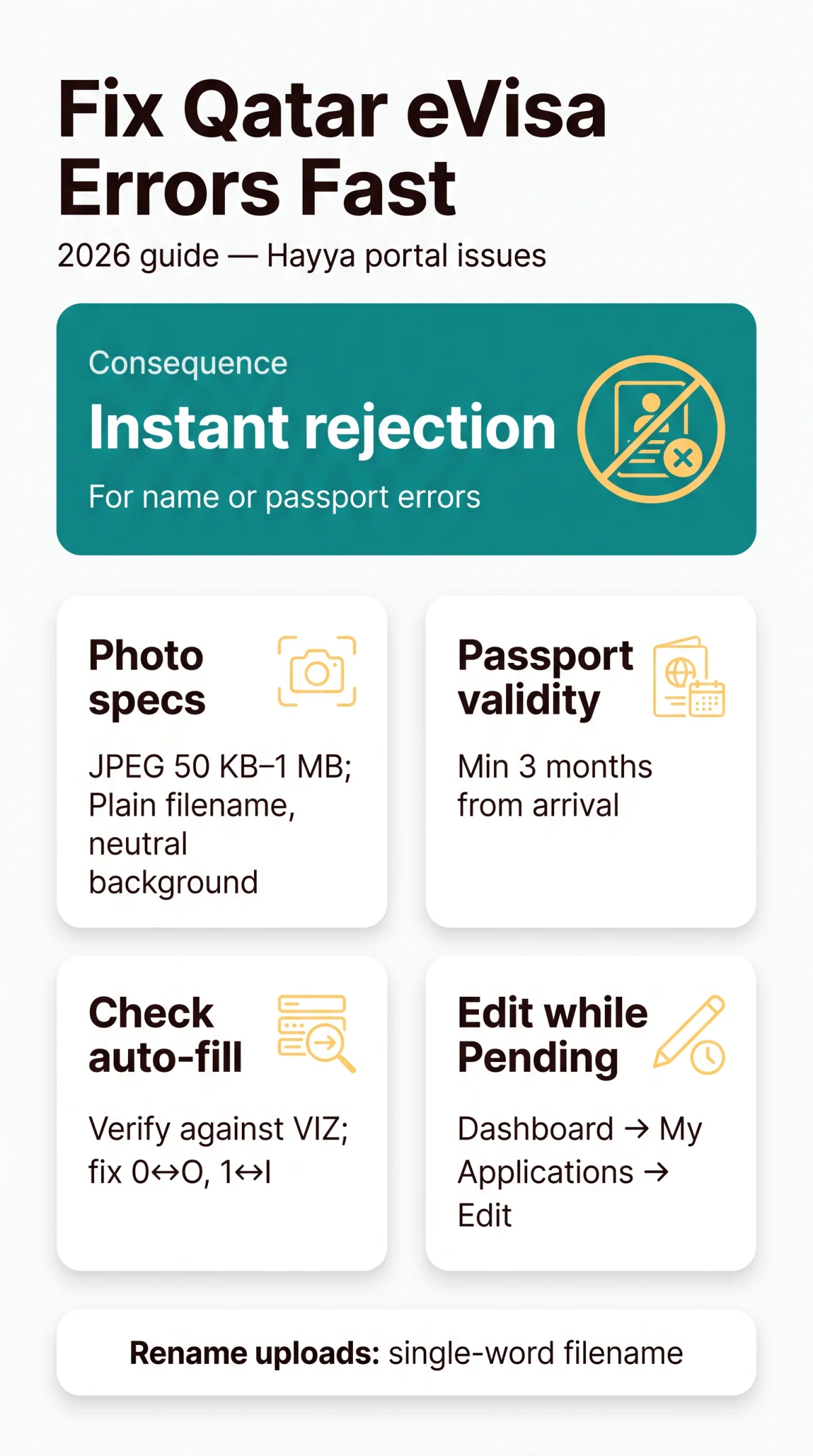
The three most common Qatar eVisa application errors are name mismatches, wrong passport numbers, and non-compliant photos on the Hayya portal. Name or passport errors cause instant rejection; photo errors cause processing delays. All three are fixable while your application status remains Pending.
Last verified 14 September 2026 against the official Hayya portal and Qatar Ministry of Interior (portal.moi.gov.qa). This is an independent informational guide, not affiliated with or endorsed by the Qatar Ministry of Interior. For official information, visit.
Most Common Qatar eVisa Application Errors at a Glance
The most common Qatar eVisa application errors include name mismatches between the application and passport, incorrect passport numbers, and non-compliant photos. Corrective actions differ by error type: name mismatches require manual override of the MRZ auto-filled field; photo errors require re-uploading a JPEG between 50 KB and 1 MB with a plain filename; passport errors require verifying the 3-month validity window from your arrival date per Ministry of Interior regulations.
| Error Type | Severity | Consequence | Fixable? | Timeframe |
|---|---|---|---|---|
| Name mismatch (application vs. passport) | Critical | Instant rejection | Yes (while Pending) | Before approval |
| Passport number wrong | Critical | Instant denial | Yes (while Pending) | Before approval |
| Expired passport (less than 3 months validity from arrival) | Critical | Rejection (MOI) | Yes (renew passport) | Before submission |
| Photo non-compliant | Serious | Delay / reupload | Yes | Before approval |
| Payment error (14-day window exceeded) | Serious | Cancellation | No | 14 days from Pending Payment |
| Address / email errors | Minor | Editable | Yes | While Pending |
| Criminal background | Critical | Denial at final approval | No | Final approval stage |
The Hayya portal displays a “passport image is required” message in red text when the upload fails. It also rejects diacritic characters in the Emergency Name Contact field. Passport validity must be at least 3 months from the date of arrival per the Ministry of Interior. A criminal background triggers denial at the final approval stage, not at submission. These Qatar eVisa application errors are all detectable before you submit.
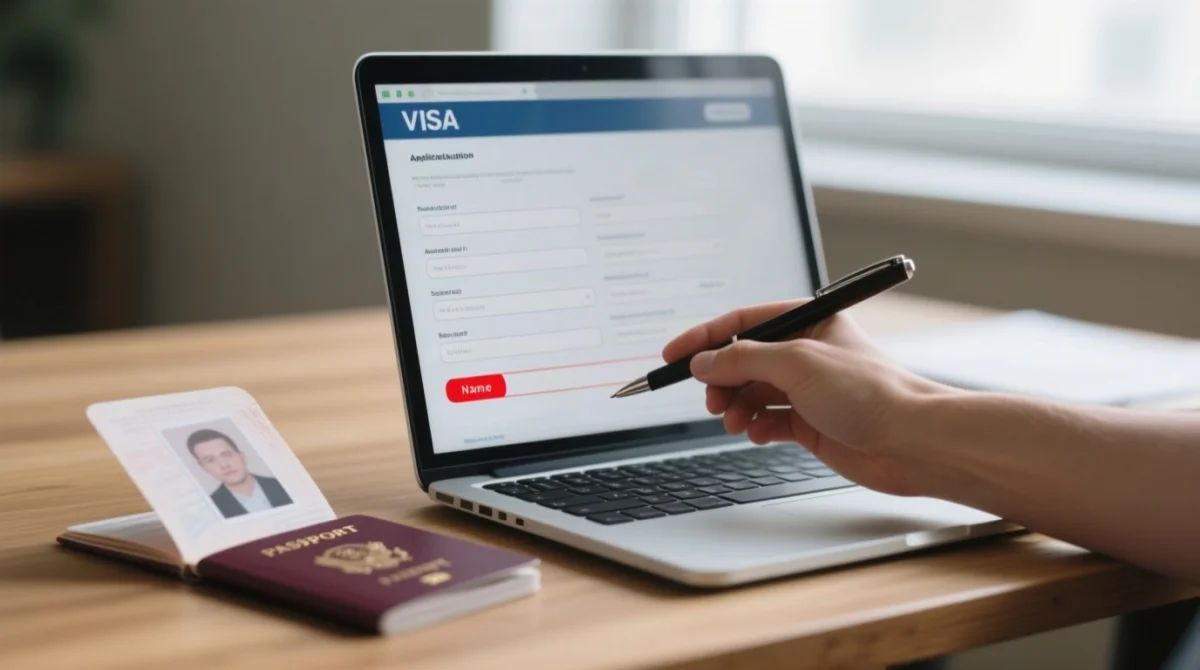
Fixing Auto-Filled Data Errors from Passport MRZ Scanning
Hayya auto-fills applicant data from the passport Machine Readable Zone, frequently misreading characters like 0↔O and 1↔I, requiring manual verification of every field after upload. In our testing, the Hayya portal consistently misread the letter O as digit 0 in UK passport numbers. We recommend comparing the auto-filled field against the Visual Inspection Zone (VIZ), the large printed name at the top of the bio-page, rather than the MRZ line, as the VIZ is less prone to OCR ambiguity.
| MRZ Character | Common Hayya Misreading | Verify Against |
|---|---|---|
| 0 (zero) | O (letter) | Visual Inspection Zone (VIZ) |
| 1 (one) | I or L | VIZ |
| 8 | B | VIZ |
| 5 | S | VIZ |
| Given Names | Surname field (swapped) | UK passport order |
| Hyphenated name | Hyphen dropped | VIZ, hyphens preserved |
| Diacritic (é, ñ) | Rejected by Hayya | Use plain Latin equivalent |
For UK passports, enter middle names in the Given Names field; match compound surnames to the VIZ, not the MRZ. Qatar eVisa application errors in photo uploads require a JPEG between 50 KB and 1 MB. Hayya rejects photos with dark backgrounds, light reflections on glasses, non-neutral facial expressions, blur, or incorrect cropping. Filenames containing spaces or special characters trigger upload failures; rename the file to a single word (e.g., photo.jpg). If upload fails, try a different browser. Session timeouts occur after inactivity; save your progress frequently. Most Qatar eVisa application errors in this category are preventable by checking each field against the VIZ before proceeding.
Compare auto-filled fields
Check every field against your passport VIZ after upload
Correct mismatches manually
Fix any mismatched characters or swapped name fields
Confirm passport image
Ensure the passport image is legible before proceeding
How to Correct Errors After Submitting Your Qatar eVisa Application
Pending applications can be edited directly in the Hayya dashboard for free; Approved visas can be modified only before the Last Entry Date and while outside Qatar. Qatar eVisa application errors can be corrected through different pathways depending on your current application status.
- Pending: Navigate to Dashboard, then My Applications, select your reference number, click Edit, modify the fields, and Save. The status remains Pending. No fee applies.
- Pending Payment: You have 14 days from the status change to modify details before the payment deadline. Non-payment results in cancellation of the application.
- Approved: Modifications are free of charge but only permitted if the Last Entry Date has not passed and you are outside Qatar. The status reverts to Pending for re-approval. Any associated accommodation costs are borne by the applicant.
- Rejected or Cancelled: Submit a new application. You cannot start another application while a current one has Pending status or an existing reference number.
If you entered the wrong email address, contact the Hayya International Help Desk at +974 4441 2022 (international) or 2022 (local). After passport renewal, you must update your application and upload the new passport copy; non-matching details risk denied boarding by your carrier or entry refusal at the border. Modification is not permitted once inside Qatar. For families, child and minor applications must be linked to the primary applicant; linking errors require contacting the Help Desk. Indian citizens applying for the A1 Tourist Visa are exempt from the Discover Qatar booking requirement and may use any accommodation platform or Host Family and Friends. Visitors arriving by car via the Abu Samra border crossing must complete pre-registration on Hayya; vehicle insurance errors at the border are not correctable through the portal. Addressing Qatar eVisa application errors early avoids cancelled or delayed trips.
FAQ: Qatar eVisa Application Errors
What are the most common reasons for a Qatar eVisa application being rejected?
Name mismatches and incorrect passport numbers trigger instant automated rejection at submission; photo errors cause manual review delays; expired passports (under 3 months validity from arrival) are rejected by the MOI at the final approval stage. These Qatar eVisa application errors are the primary reason for rejection on the Hayya portal.
Can I change my name or passport details after submitting my Qatar eVisa application?
Yes. If your application is Pending, edit directly in the Hayya dashboard. If Approved, modifications are free but only permitted before the Last Entry Date and while outside Qatar. The status will then revert to Pending for re-approval.
What photo specifications does the Hayya portal require for my Qatar eVisa?
The portal requires a JPEG format, with a file size between 50 KB and 1 MB. The passport bio-page scan must be clear and legible, with no glare or blur. Use a simple filename avoiding special characters to prevent upload issues.
I made a mistake on my Qatar eVisa. Can I reapply or do I need to cancel first?
You cannot start a new application while your current one has Pending status. If rejected or cancelled, you may submit a new one. If an application reference number exists, you may not be able to reapply without first resolving the existing application.
What is the Hayya application fee, and is it refundable if my eVisa is rejected?
The fee is QAR 100, payable within 14 days of the Pending Payment status. It is strictly non-refundable regardless of the application outcome. Non-payment within the 14-day deadline results in the automatic cancellation of your application.
Can I change my flight dates after my Qatar eVisa application is approved?
Accommodation dates must align with flight ticket dates. If flights change, you may update accommodation details via the free modification process, which reverts the status to Pending. Modification is not possible once you are inside Qatar.
How do I check my Qatar eVisa application status on the Hayya portal?
Log in to, navigate to the dashboard, and view your application status. Statuses include Pending, Pending Payment with a 14-day deadline, Pending Accommodation Confirmation with a 30-day deadline, Approved, or Rejected.
What documents do I need to upload for my Qatar eVisa application?
You need a clear JPEG scan of your passport bio-page between 50 KB and 1 MB, proof of accommodation, a return flight ticket, and valid health insurance from a provider registered with the Qatar Ministry of Public Health.
Does the name on my Qatar eVisa need to match my passport exactly?
Yes. The name entered on the Hayya application must match the spelling on your passport exactly. The portal rejects diacritic characters in certain fields. Use the name as it appears in the Machine Readable Zone of your passport if in doubt.
How long does it take to get a Qatar eVisa after fixing application errors?
After fixing Qatar eVisa application errors on an approved application, the status reverts to Pending and is subject to the standard approval process again. Hayya authorities do not publish a specific timeframe for this. For international support, contact the Hayya Help Desk at +974 4441 2022.